TruFlite - Fact Sheet
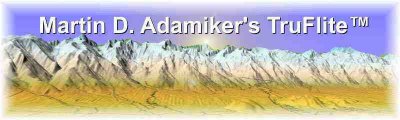
You are able to render millions of gouraud-shaded texture-mapped polygons on a standard PC.
- Windows program originally designed for this platform
- a program producing research grade results available for PCs
- 3D renderer capable of rendering hundreds of millions of polygons, with no upper limit
- 24 bit resolution in elevation - 16 million elevation steps possible
- context sensitive help system
- intuitive, easy-to-use control desk
- renders multiple sceneries simultanelously
- utilizes Gouraud shading
- antialiasing/color interpolation can be parameterized
- light effects
- fog effects
- fast wireframe preview
- size or aspect ratio of texture file needs not be the same as of elevation file (resizing at run-time)
- allows masking, you can overlay your own logo
- produces single images or series of images for creating animations
- input files: TGA format; any bitmap editor capable of loading TGA files can load TruFlite elevation or texture files as well
- output files: TGA and/or YUV
- import filters for:
- ASCII x/y/z
- U.S. Geological Survey 3 arc second DEMs
- U.S. Geological Survey 7.5 minute (30 meter) DEMs
- U.S. Geological Survey 30 arc second BILs
- Erdas Imagine® binary files
- Idrisi binary file import filter
- ARC/View DEM files
- generic binary file import filter
- import of multiple USGS DEMs - tiling is done automatically
- output can be compiled to animations using third party software
- edit/clipboard copy/print preview/print functions even during the rendering process
- animations: move along straight lines or along a closed curve
- define the flight path by clicking and dragging the waypoints directly on the map
- export or import images via the clipboard
- rectify or rotate texture data from scanned maps to fit the elevation data
- use scanned maps as source for elevation data, create DEM files out of height contour lines
- the crew that has been developing TruFlite over the past fifteen years are all C++ and visualization experts as well
- the program emerged from an object oriented design process from the very beginning which has made it easy to adapt it to your needs